

If your website loads slowly, you don’t have a design problem. You have a conversion problem. Slow pages silently kill leads, purchases, calls, and bookings. Users don’t complain. They don’t fill out forms. They don’t tell you what went wrong. They simply exit and choose a competitor whose site loads faster.
This guide will show you exactly how slow websites ruin website speed conversions, where the biggest losses come from, and how to fix them fast without a redesign.
Key Takeaways
- Slow load times crush conversions at every stage of the funnel.
- Website speed conversions improve fast with small, high-impact fixes.
- Faster websites get more leads, better SEO, and higher ROAS.
- You can test and repair your performance with simple tools.
- At the end, you can request a free speed and conversion audit.
What This Article Covers
- Why slow websites lose customers
- How website speed affects conversion rate
- The top causes of website slowness
- The exact steps to fix performance
- A complete website speed conversions checklist
- Internal tools, resources, and guides
- A free audit offer for businesses that want measurable results
What Website Speed Conversions Really Mean
Website speed conversions measure how load time impacts the percentage of users who complete a desired action. Faster websites convert more visitors because they reduce friction, bounce rate, and user frustration.
The Harsh Reality: Slow Websites Destroy Conversions
Let’s start with cold facts backed by real studies.
If your site loads slowly:
- Conversions drop by up to 20 percent for every extra second of delay.
- Bounce rates skyrocket past three seconds.
- More than 53 percent of mobile users exit before the page even becomes interactive.
- Slow product pages increase cart abandonment rates to nearly 70 percent.
- Ad costs increase because users bounce faster, killing Quality Score.
If you want to see how speed directly impacts rankings and buyer behavior, read: How Google PageSpeed Insights Impacts Rankings and Conversions


How Slow Speed Hurts Conversions at Every Stage
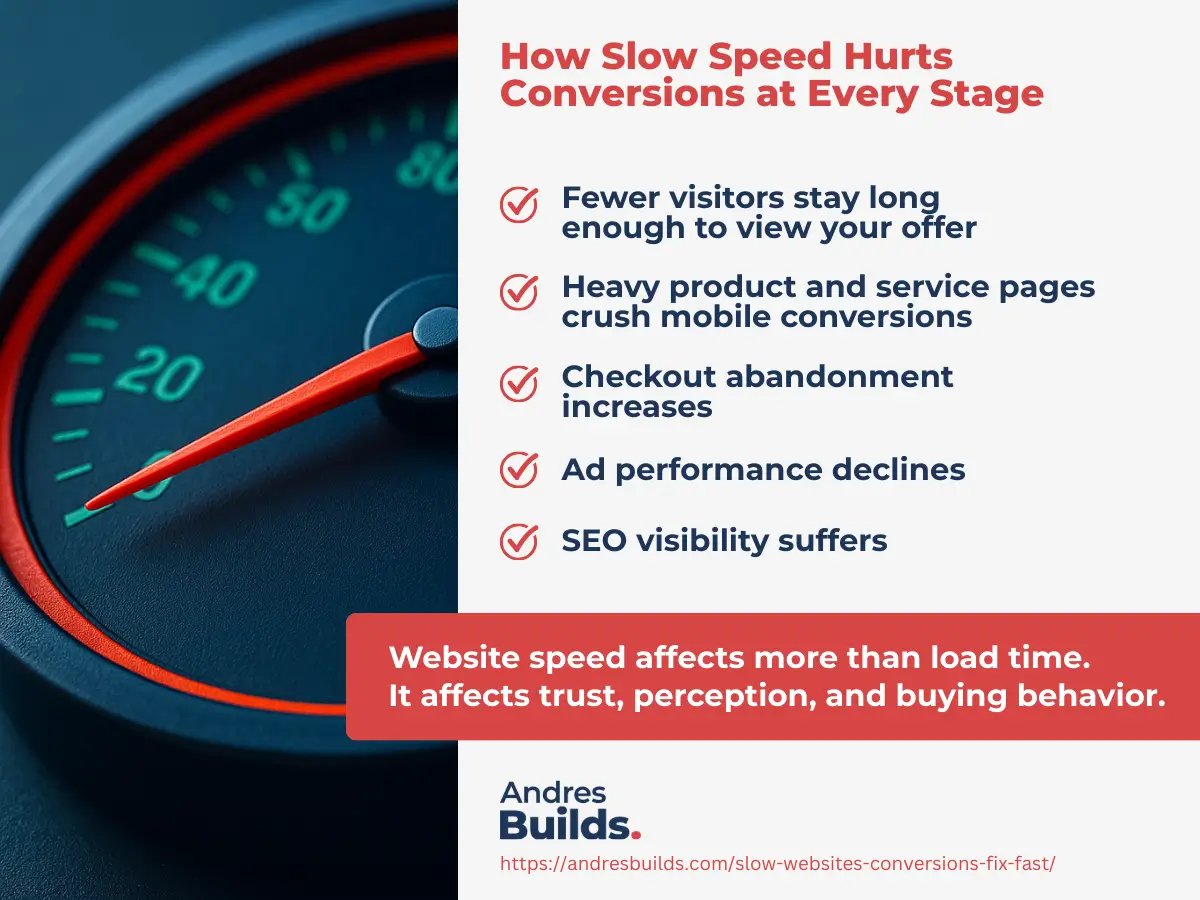
Website speed affects more than load time.
It affects trust, perception, and buying behavior.
1. Fewer visitors stay long enough to view your offer
Users expect pages to load instantly.
A slow homepage sends them away before they see your hero message.
2. Heavy product and service pages crush mobile conversions
Big images, sliders, and scripts turn mobile experiences into frustration.
For mobile-specific fixes, check: Homepage Optimization Tips to Double Your Leads
3. Checkout abandonment increases
Slow checkout = lost money.
Most users won’t retry.
4. Ad performance declines
Slow landing pages lower engagement and raise CPC.
Your traffic becomes more expensive and less effective.
5. SEO visibility suffers
Google rewards speed.
Slow websites get buried.
If you want to compare fast vs slow speeds with real examples and techniques, read: Website Performance Techniques That Actually Work
Why Fast Websites Win More Customers
Speed creates trust.
Trust creates conversions.
Fast websites boost conversion rate
Sites under three seconds consistently outperform competitors on:
- Bookings
- Form submissions
- Calls
- Sales
Fast websites reduce bounce rate
Faster interaction equals more engagement.
Fast websites increase organic traffic
Google prioritizes high-performing pages.
Fast websites increase lifetime customer value
Happy users return. Slow ones don’t.
To analyze your own performance gaps, use this checklist: Website Speed Optimization Checklist
The Real Reasons Websites Become Slow
Most performance issues come from predictable sources:
- Oversized images
- Heavy WordPress themes
- Too many plugins
- Render-blocking JavaScript
- Poor hosting
- No caching
- No CDN
- Slow server response
- Layout shifts from bad Core Web Vitals
If you want a deeper look at Web Vitals penalties, read: Core Web Vitals Optimization Guide
Mini Case Study
A local service business came to me with a load time of 6.4 seconds. Their form submissions were barely trickling in.
After optimizing images, enabling caching, cleaning CSS, removing 10 unnecessary plugins, and improving hosting, their site dropped to 1.9 seconds.
Result: conversions increased by 37 percent in the first two weeks.
Small fixes. Big sales.
How to Fix Slow Speed and Improve Website Speed Conversions Fast
Here is your prioritized roadmap.
1. Optimize all images (biggest and fastest win)
- Convert to WebP
- Compress under 200 KB
- Use responsive sizes
This alone can cut load time in half.
2. Clean your plugins
Remove everything that doesn’t drive conversions or security.
If you’re using WordPress, read: WordPress Speed Optimization Guide
3. Turn on caching and minification
Your site should load a prebuilt version, not recreate everything each time.
4. Improve your hosting
A fast server is the foundation of high conversions.
5. Fix mobile responsiveness
Mobile traffic is over 60 percent of your visitors.
6. Add a CDN
Your content loads more quickly in every location.
7. Remove heavy sliders and background videos
They destroy mobile conversions.
For a complete process breakdown, start with: Website Speed Optimization Guide
Website Speed Conversions Checklist
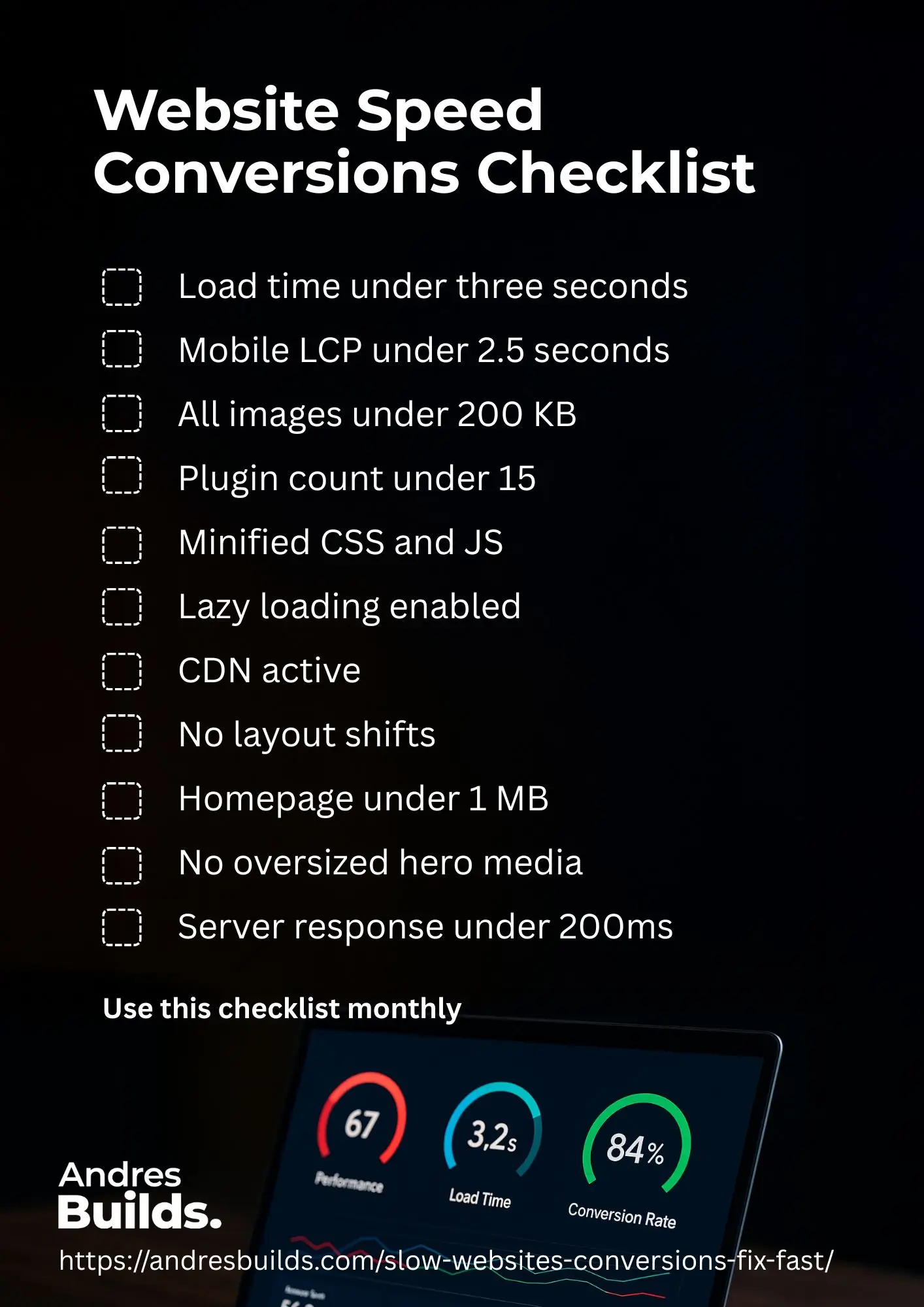
Use this checklist monthly:
- Load time under three seconds
- Mobile LCP under 2.5 seconds
- All images under 200 KB
- Plugin count under 15
- Minified CSS and JS
- Lazy loading enabled
- CDN active
- No layout shifts
- Homepage under 1 MB
- No oversized hero media
- Server response under 200ms
This checklist alone can boost your website speed conversions dramatically.
Who This Guide Is For
This resource is perfect for:
- Small business owners
- Service-based businesses
- Local businesses
- WordPress users
- Brands running ads
- Companies wanting higher conversions
- Anyone losing customers without knowing why
FAQs About How Slow Websites Lose Customers
Why do slow websites lose customers?
Because people refuse to wait. Slow load times create frustration, distrust, and abandonment.
How much does speed affect conversion rate?
Up to 20 percent loss per extra second of delay.
Does website speed affect SEO and ads?
Yes. Speed is a major ranking factor and affects Quality Score.
What is the ideal website speed for conversions?
Under three seconds.
Which cities does Andres Builds serve?
Charlotte, Miami, Phoenix, Dallas, Atlanta, and Chicago.
Want Me to Analyze Your Website Speed Conversions for Free?
If you want to stop losing customers because of slow website performance, I can run a complete website speed and conversion audit at no cost.
You’ll get:
- A full video breakdown
- A performance and conversion report
- Before and after metrics
- A clear plan to load under three seconds
- Conversion-based recommendations
Request Your Free Website Audit
Fast websites convert. Slow ones don’t. Let’s fix that.