
Most business owners think their website is “fast enough” because a single tool gives them a decent score. But here’s the uncomfortable truth: if you only measure website speed the wrong way, you can lose conversions, rankings, and ad spend without even knowing it.
Google doesn’t measure speed the way most people think. Your visitors definitely don’t. And if you want real performance gains—not pretty scores—you need to measure speed the same way Google does: with real-world data, real users, and real conditions.
This guide breaks everything down in a clear, practical way. No technical fluff. Just the exact workflow Google uses to understand website performance.
If you apply this correctly, your optimization work will finally translate into higher rankings, more sales, and a better user experience on every device and connection.
Listen: How to Measure Real-World Website Speed Like Google Does (Full Episode)
What “Measure Website Speed” Actually Means Today
Most people try to measure website speed by running one Lighthouse test and calling it a day.
That’s not how Google evaluates your performance.
Modern website speed measurement includes three pillars:
- Field Data (real users, real devices, real networks)
- Lab Data (controlled test environments)
- Core Web Vitals (Google’s quality metrics that impact rankings)
If you only use one pillar, you’ll get misleading results.
To measure website speed correctly, you must combine all three.
Key Takeaways
- Google measures website speed using real-world field data, not just lab tests.
- To measure website speed accurately, you must combine field data, lab data, and Core Web Vitals.
- Tools like PageSpeed Insights, CrUX, WebPageTest, and GTmetrix each serve different purposes.
- The most important metrics to watch are LCP, INP, CLS, and TTFB.
- Real-world measurement reveals issues synthetic tests miss, especially on mobile and slow networks.
- Correct measurement leads to smarter optimization, better rankings, and higher conversions.
- Following a structured workflow ensures consistent, Google-aligned performance tracking.

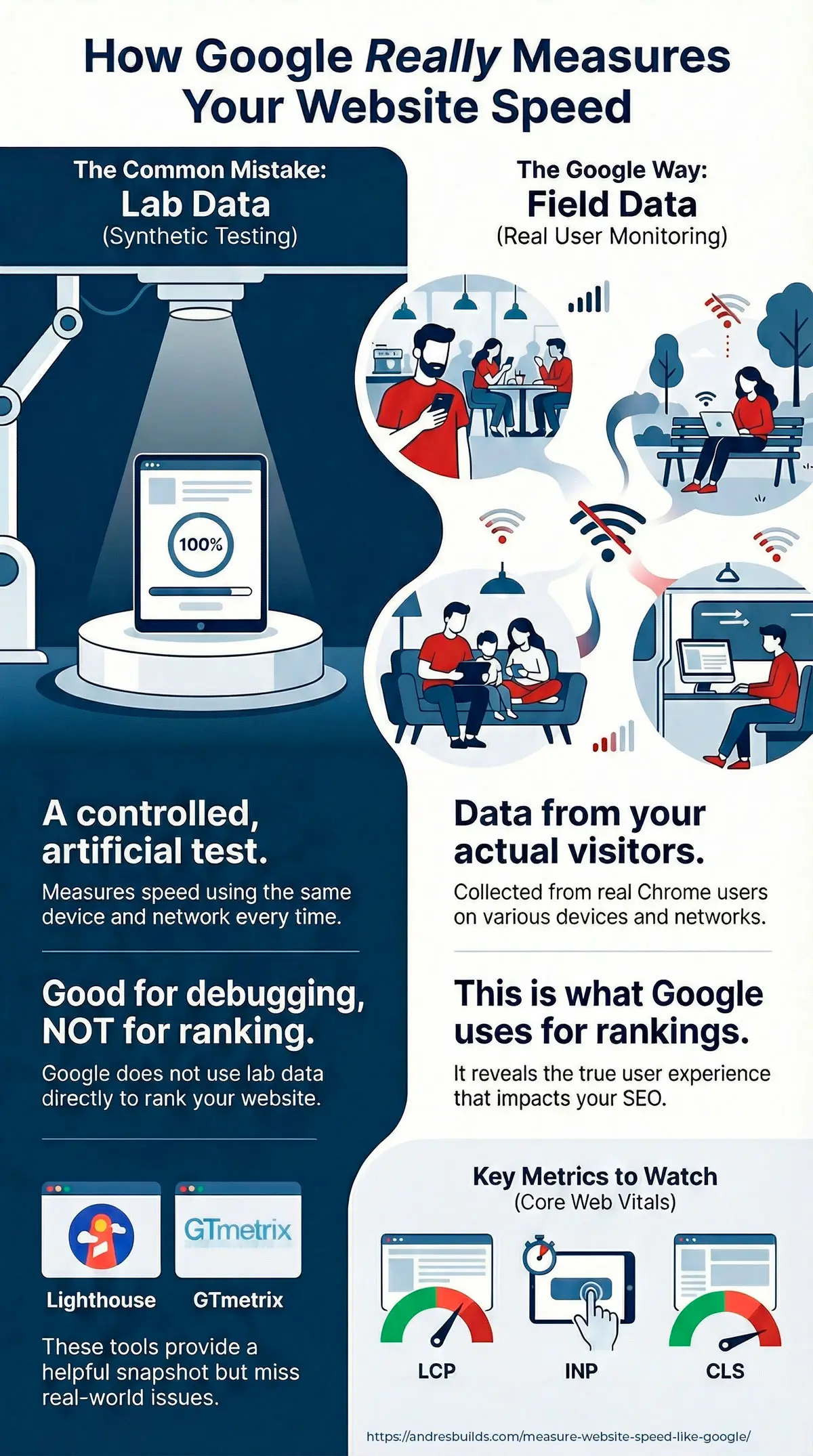
Lab Data vs. Field Data (And Which One Google Uses)
This is the single biggest misunderstanding about website speed.
Lab Data (Synthetic)
Generated using tools like Lighthouse or GTmetrix.
- Good for debugging
- Controlled environment
- Same device, same network every time
- Not used directly for ranking
Field Data (Real Users)
Collected from Chrome users visiting your site in the real world.
- Different devices
- Different network speeds
- Different countries
- Real interactions
Google uses FIELD DATA for rankings, not your recent Lighthouse score.
This is measured through:
- CrUX (Chrome UX Report)
- Real User Monitoring (RUM) tools
- PageSpeed Insights “Discover what your real users experience” section
If you want Google-level accuracy, you must measure website speed using field data.
Internal reference for deeper understanding: Google PageSpeed Insights Impact
How Google Measures Speed: Core Web Vitals Explained Simply
Core Web Vitals are Google’s official performance metrics.
Here’s what they mean in plain English:
1. LCP – Largest Contentful Paint
How long it takes for the main content to appear.
- Good: under 2.5 seconds
2. INP – Interaction to Next Paint
How quickly your site responds after tapping/clicking.
- Good: under 200 ms
3. CLS – Cumulative Layout Shift
How much the layout jumps around.
- Good: under 0.1
If your Core Web Vitals are green in field data, Google considers your website fast.
For deeper optimization techniques, read: Core Web Vitals Optimization Guide
External reference: https://web.dev/vitals/
The Tools Google Cares About (And How To Use Them)
To measure website speed accurately, use this toolset:
1. PageSpeed Insights
Shows both Lab Data and Field Data. https://pagespeed.web.dev/
2. CrUX Dashboard
Google’s official tool for field performance data. https://developer.chrome.com/docs/crux/
3. WebPageTest
The best tool for deep waterfall analysis. https://www.webpagetest.org/
4. GTmetrix
Great for synthetic tests and visual filmstrips. https://gtmetrix.com/
Full breakdown of these tools: Top Free Tools to Test Website Speed
Step-by-Step: How to Measure Website Speed Like Google Does
Use this workflow weekly or monthly for accurate results.
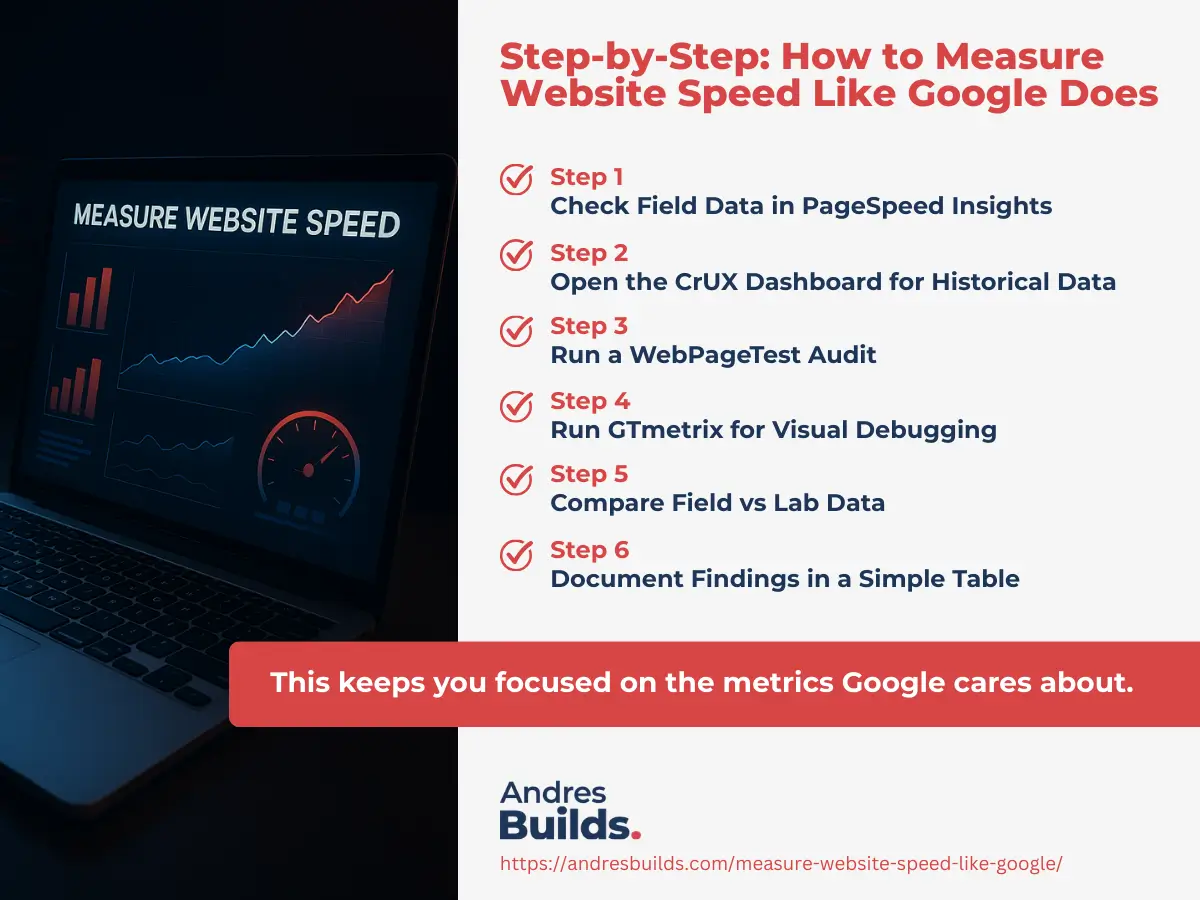
Step 1: Check Field Data in PageSpeed Insights
Look at:
- Real User LCP
- Real User INP
- Real User CLS
- Device breakdown (mobile vs desktop)
- Country distribution
Step 2: Open the CrUX Dashboard for Historical Data
Identify trends:
- Is the site getting slower?
- Are certain countries dragging down performance?
- Are mobile users struggling more than desktop?
Step 3: Run a WebPageTest Audit
Focus on:
- First Byte Time (TTFB)
- LCP element
- Render start
- Image bottlenecks
- File size issues
Step 4: Run GTmetrix for Visual Debugging
Filmstrips show what users actually see.
Step 5: Compare Field vs Lab Data
If lab is fast but field is slow, your real-world users are suffering.
Step 6: Document Findings in a Simple Table
Use a 3-color system:
- Green = Good
- Yellow = Needs improvement
- Red = Poor
This keeps you focused on the metrics Google cares about.
Common Mistakes When Measuring Website Speed
Mistake 1: Only checking desktop
Google ranks based on mobile performance.
Mistake 2: Using only synthetic tests
Tools like Lighthouse don’t tell you the full story.
Mistake 3: Chasing scores instead of real impact
A high score doesn’t always mean a fast experience.
Mistake 4: Not re-testing after changes
Always compare before vs after.
Mistake 5: Ignoring Web Vitals
TTFB and LCP matter more than your overall “score”.


What To Do After Measuring (Your Optimization Plan)
Once you measure website speed accurately, the next step is optimization.
Start with:
- Image compression & conversion (WebP)
- Eliminating render-blocking scripts
- Improving hosting or server response time
- Fixing layout shifts
- Optimizing mobile structure
Use these guides as your next step:
- Website Speed Optimization Guide
- Website Performance Techniques That Actually Work
- Why Website Speed Matters
FAQs: Measure Website Speed
Is PageSpeed Insights enough to measure website speed?
No. It is only one tool. Use CrUX and WebPageTest too.
Why do different tools show different results?
Because they measure different things: lab vs field data.
How do I see the same data Google uses for rankings?
Check the Core Web Vitals field data in PageSpeed Insights or CrUX.
What is a good website speed?
Aim for:
LCP under 2.5 seconds
INP under 200ms
CLS under 0.1
How often should I measure website speed?
Monthly for most sites. Weekly if you run ads.
Want Me To Measure Your Website Speed Like Google Does?
If you want accurate, real-world performance insights—not random scores—I can run a free website speed audit (valued at $800) for you.
You’ll get:
- Field data & real-user insights
- Web Vitals scoring
- Mobile vs desktop analysis
- Technical bottleneck breakdown
- A video walkthrough of everything
If you want a website that ranks higher, loads faster, and converts better, request your free audit today.