

Most small business websites are leaking leads.
They’re slow. They confuse users. They’re not built to convert.
But the good news? Most of these issues are fixable, fast.
In fact, a properly optimized site can increase conversions by up to 200%, according to HubSpot. That’s why this post walks you through how to use a Website Speed Optimization Checklist the right way, so you can get measurable results starting today.
Whether you’re a local service provider, consultant, or small eCommerce brand, this guide will show you how to analyze and improve your site with the same process we use in our $800 custom website audits (which you can request at the end of this post).
🎧 Prefer to listen? Play the audio version of this blog post below.

Key Takeaways
- You don’t need to be a developer to improve your website, most issues are fixable with the right tools
- Speed, messaging, and usability directly affect SEO and conversions
- Google rewards fast, mobile-friendly, and content-rich sites with better rankings
- This Website Speed Optimization Checklist will help you self-audit or prepare for a full redesign
- You can request a free website audit here if you want expert help
Download the Ultimate Website Speed Optimization Checklist Template: Open as a Google Doc
1. Speed & Performance: The First Test You Need to Pass
53% of users will abandon a site that takes longer than 3 seconds to load. (Source: Think With Google)
How to check your website speed:
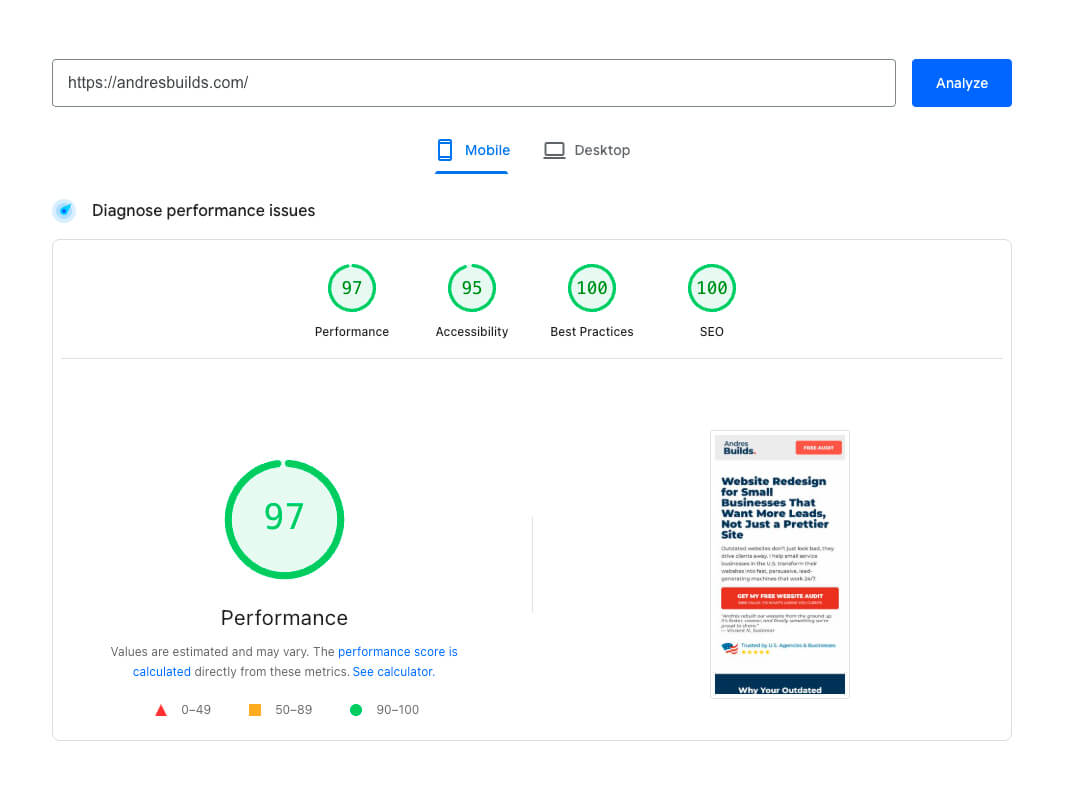
- PageSpeed Insights – Use this to get your Core Web Vitals
- GTmetrix – Shows page load waterfall and speed bottlenecks
- Pingdom Tools – Another option for speed testing by location
What to aim for:
- Load time under 3 seconds
- FCP < 1.8s, LCP < 2.5s, TBT < 200ms
- Images in WebP format
- Minified CSS & JS
- Lazy loading enabled
- Fast hosting with low TTFB
Want to skip the testing? Request a free speed audit here.
2. Mobile Optimization: Google Cares More About Mobile Than Desktop
Mobile devices account for over 60% of traffic, but most websites are still desktop-first.
How to check mobile usability:
- Test manually on iPhone and Android phones
- Use Hotjar’s mobile heatmaps to see real user behavior
Fix these issues:
- Unreadable font sizes
- Tap targets that are too small or close together
- Broken mobile navigation
- Buttons that require pinching or zooming
- Contact/booking forms that don’t load properly
Pro Tip: Add a sticky contact button on mobile that follows users down the page.


3. Conversion Optimization: Every Page Needs a Goal
A website isn’t just a brochure. It should convert visitors into leads.
Audit these key elements:
- Headline above the fold is clear and benefit-driven
- Visible CTA buttons on every page
- Short, friction-free contact or booking forms
- Trust builders: Testimonials, certifications, reviews
- Sticky nav or CTA button on mobile
- One primary goal per page (don’t overload options)
Need ideas? Check out our case study on how we doubled conversions for this business.
4. SEO Basics: Don’t Let Google Ignore You
68% of online experiences begin with a search engine (BrightEdge). And if your on-page SEO is broken, so is your traffic.
Run a quick SEO check:
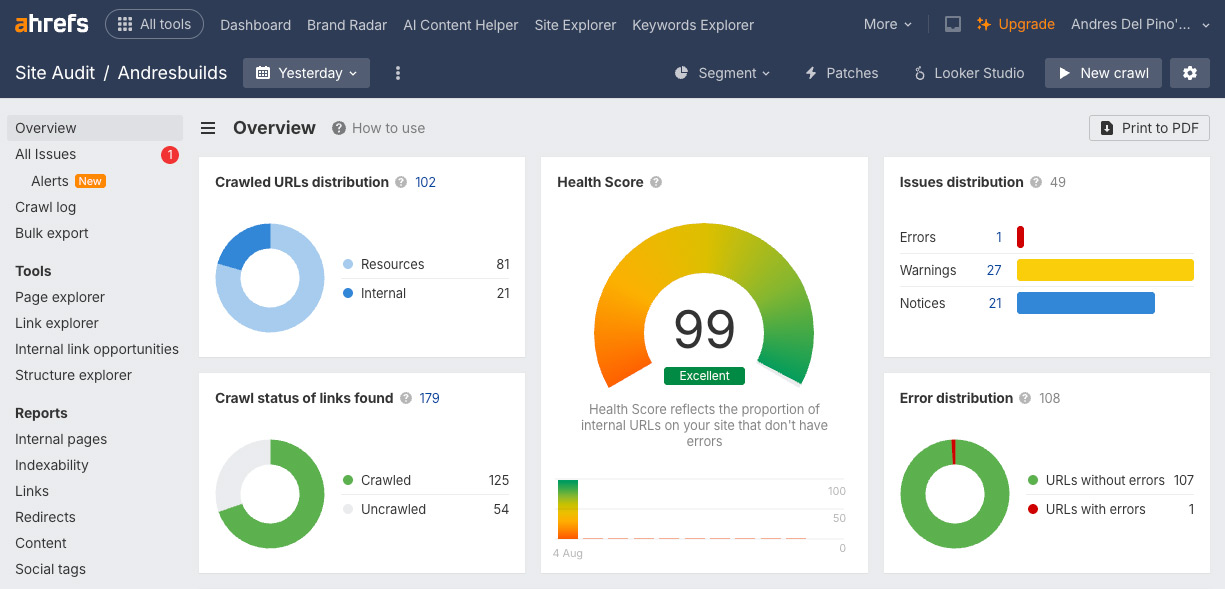
- Ahrefs Webmaster Tools – Free SEO audit
- Google Search Console – Keyword and indexing insights
- Screaming Frog or SEOptimer for technical SEO
What to optimize:
- Unique meta title (< 60 characters)
- Meta description includes CTA + keywords
- H1 includes target keyword (and is used once per page)
- ALT text for all images
- Internal linking to service and blog pages
- Descriptive URLs (e.g., /roof-repair-miami)
- Schema markup via Schema.org
- Sitemap and robots.txt are working
5. Messaging & Content That Converts
Does your site pass the 5-second test?
“Can I tell what this business offers, who it’s for, and what I should do next, in 5 seconds?”
Checklist:
- Clear homepage headline with outcome-based messaging
- Copy that focuses on benefits, not just features
- Calls to action throughout the page, not just at the bottom
- Blog content that answers key client questions
- Comparison points that show why you’re different
- Internal links to blog content or case studies
🔍 Want to improve your homepage messaging? Start here
6. Security & Legal Trust Signals
Trust matters more than ever. Especially if you’re asking visitors to submit their info or payment.
Minimum requirements:
- HTTPS with a valid SSL certificate
- Privacy Policy and Terms & Conditions pages linked in footer
- reCAPTCHA v3 on all forms to prevent spam
- Cookie banner if tracking visitors (GDPR/CCPA)
- No browser security warnings
- Custom 404 page (not default hosting message)
Check your SSL config with SSL Labs.
7. Analytics & Tracking: Don’t Fly Blind
Your analytics setup should show you:
- Where your users come from
- What actions they take
- What’s working (and what’s not)
Must-have tools:
- Google Analytics 4
- Google Tag Manager
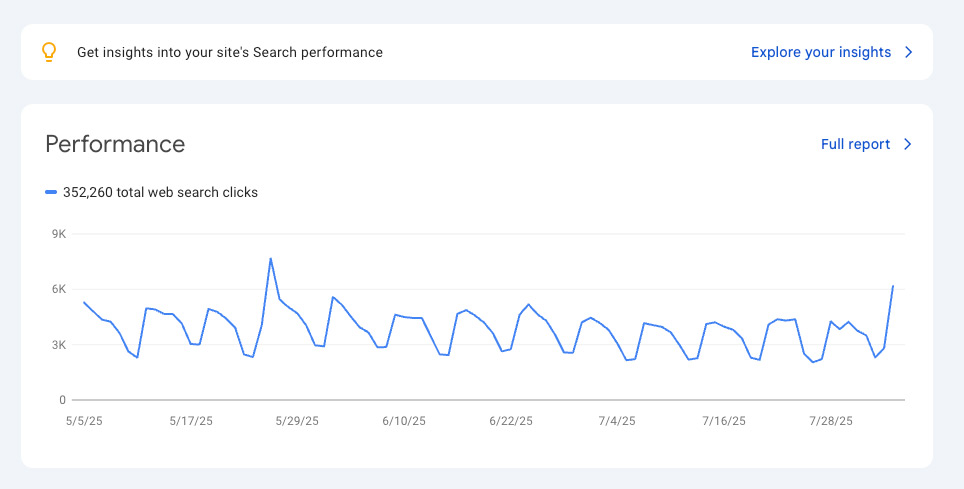
- Google Search Console
- Hotjar or Microsoft Clarity for behavior tracking
- UTM tags for marketing campaigns
8. Smart Tech Stack & Integrations
Automation doesn’t just save time, it improves the user experience.
What to include:
- Booking integrations like Calendly
- CRM connection (HubSpot, Go High Level, etc.)
- Lead forms that trigger autoresponders
- Email marketing (e.g., Mailchimp, ConvertKit)
- Live chat or AI chatbot for engagement
- Zapier or Make.com to automate repetitive tasks
Frequently Asked Questions (FAQ) About The Website Speed Optimization Checklist
How often should I use this website speed optimization checklist?
Every quarter is ideal, especially after major updates or redesigns.
Can I fix most of these issues myself?
Yes. Many speed, copy, and SEO items are fixable with tutorials or plugins. For advanced issues, professional help is ideal.
Which tools do I need to run these checks?
I recommend: PageSpeed Insights, GTmetrix, Ahrefs, Hotjar, and Google Analytics 4.
How is this different from a typical web design checklist?
This Website Optimization Checklist focuses on performance, conversions, and SEO, not just aesthetics.
Can you help me implement this?
Absolutely. Request your free website audit here and we’ll send you a custom report with recommendations.
Which cities do you serve?
We serve small businesses nationwide, with strong presence in:
Los Angeles, Miami, Charlotte, Dallas, Phoenix, and Atlanta.
Final Thoughts: Don’t Let Your Website Undersell You
Most business owners don’t realize their site is underperforming, until they fix it and see the difference.
By walking through this Website Speed Optimization Checklist, you’re already ahead of 90% of your competitors.
Now it’s time to take action.
Get Your Free Website Speed Review
We’ll review your site, identify what’s costing you traffic and leads, and give you a prioritized action plan, no strings attached.