

Your homepage is your digital storefront. If it’s slow, unclear, or doesn’t guide visitors to take action, you’re leaving money on the table.
The numbers don’t lie: 88% of online consumers are less likely to return after a bad experience (Gomez). Even worse, 53% of mobile visitors leave if a page takes over 3 seconds to load (Google).
The good news? You don’t need a full site overhaul to see results. With a few strategic homepage optimization tips, you can double your leads without spending more on ads.
Here’s exactly how to do it.

Key Takeaways
- Clarity in your hero section drives instant trust and action.
- Trust signals above the fold reduce hesitation.
- Faster load times dramatically improve conversion rates.
- One primary CTA eliminates decision fatigue.
- A clean, mobile-friendly design keeps visitors engaged.
1. Build a Hero Section That Sells
Your hero section, the first thing visitors see, decides whether they stay or bounce.
It must answer these 3 questions in under 5 seconds:
- What do you do?
- Who do you help?
- What should they do next?
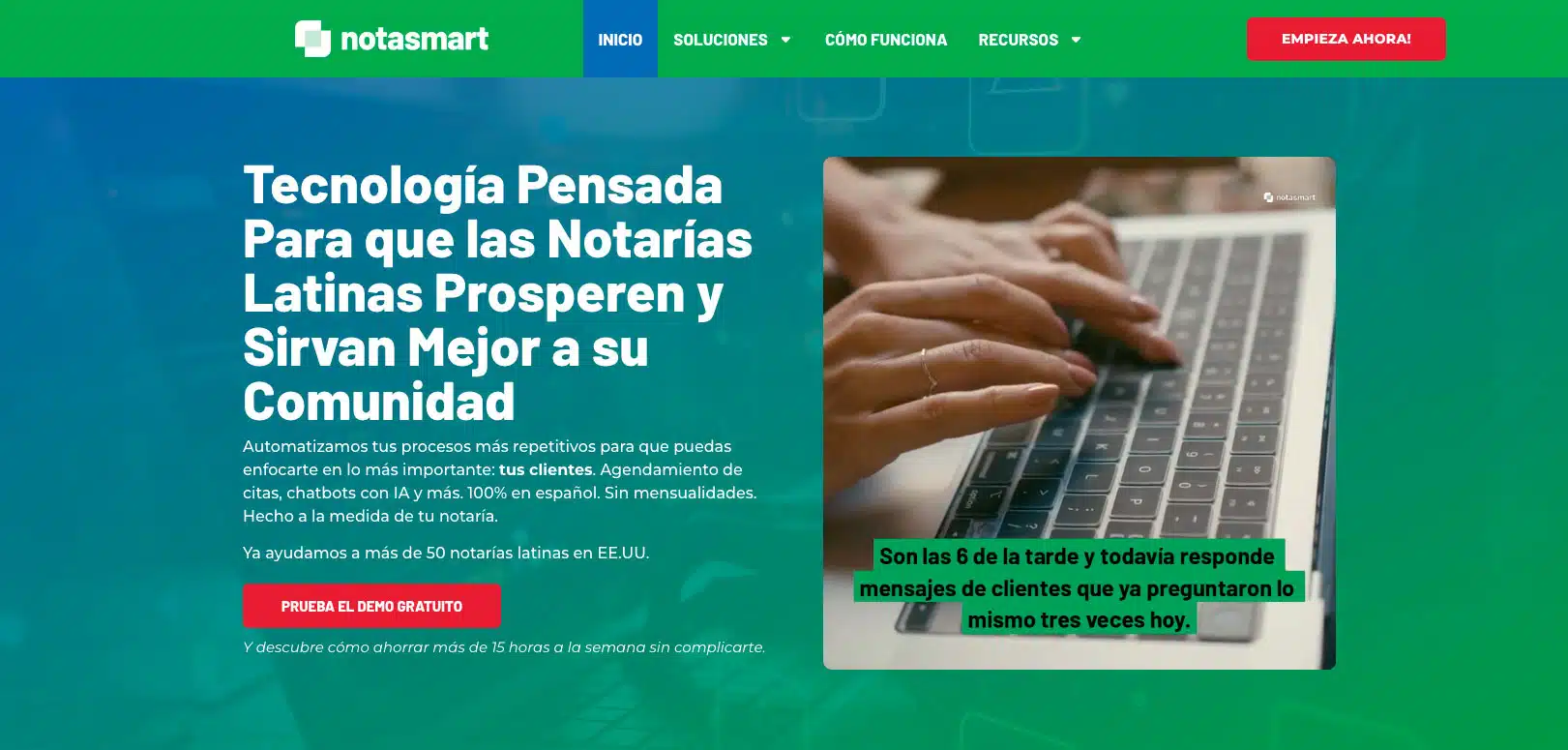
Example: When we redesigned NotaSmart, we created a hero headline that spoke directly to their audience, added a subheadline explaining the value, and placed a bold “Request Your Free Demo” button. The result? Demo requests tripled in just 3 weeks.
Best practices:
- Use a headline under 12 words that highlights your main benefit.
- Add a subheadline that explains what makes you different.
- Include a high-contrast CTA button (“Request Your Free Website Audit”).
- Use a relevant, professional image or background video.
Tool Tip: Canva for branded hero images, Unsplash for free high-quality photos.
Related Resource: The Ultimate Website Optimization Checklist
2. Show Trust Signals Before They Scroll
People won’t contact you if they don’t trust you. Displaying credibility above the fold speeds up decision-making.
What works best:
- Client testimonials with names/photos.
- Review ratings from Google, Yelp, or industry platforms.
- Industry certifications or partner logos.
- Notable clients or past projects.

Case in point: On our case studies page, we showcase how Sugar Hill Auto Salon improved site speed and design, boosting trust and inquiries.
Stat to remember: Adding testimonials can increase conversions by 34% (VWO).
Tool Tip: Trustpilot for automated review displays.
3. Make Your Homepage Load Lightning Fast
Every second of load time costs you leads.
Fact: Sites loading in 1 second have 3x higher conversion rates than those taking 5+ seconds (Portent).
Quick wins to boost speed:
- Compress images with TinyPNG.
- Remove unused CSS/JavaScript.
- Use a Content Delivery Network (CDN) like Cloudflare.
- Invest in premium hosting.
Example: For NotaSmart, we cut load time from 5.1 seconds to 1.3 seconds, increasing leads by +32%.

4. Stick to One Clear Call-to-Action (CTA)
When you give too many choices, visitors freeze. The fix? Use one primary CTA and repeat it 3–4 times throughout your homepage.
Examples:
- “Request Your Free Website Audit”
- “Book Your Free Consultation”
Pro tip:
- Use a contrasting color for CTA buttons.
- Keep text action-oriented: “Get My Audit,” “Start My Free Review.”
- Add microcopy under the button: “Takes less than 60 seconds. No obligation.”
5. Keep It Clean, Focused, and Mobile-Ready
Clutter confuses. Simplicity sells.
A clean homepage design improves readability and focuses visitors on your CTA.
Checklist for a clean homepage:
- Plenty of white space.
- Font size 16px or larger.
- Consistent brand colors.
- No autoplay music or pop-ups in the first 5 seconds.
Mobile-first rule: Mobile users make up 58% of all web traffic (Statista).
FAQs for Homepage Optimization Tips
What’s the #1 homepage optimization tip?
Make your hero section instantly clear and action-oriented.
How often should I update my homepage?
Every 6–12 months, or after major business changes.
Does page speed affect SEO?
Yes. Faster pages rank higher and keep visitors longer.
Can I optimize without redesigning my whole site?
Yes. Improving the hero, adding trust signals, and speeding up load time can have big impacts.
What are the main cities Andres Builds serves?
We work with small businesses across the U.S., especially in Atlanta, Miami, Los Angeles, Houston, Chicago, and Dallas.
How do I know if my homepage is underperforming?
Check bounce rate, time on page, and lead conversion rate in Google Analytics.
Conclusion
Your homepage is your 24/7 salesperson. With the right tweaks: clarity, trust, speed, and focus, you can turn more visitors into paying customers without spending an extra dime on ads.
Ready to see how your homepage could perform better?
Request Your Free Website Audit today and get a personalized plan to double your leads. Spots are limited this month, secure yours now.