

Most business owners suspect their website could be performing better. Pages load slowly. Leads are inconsistent. Analytics show visitors bouncing before they take action. Then they hear the phrase: website optimization service.
And the question immediately appears:
What does that actually include, and is it worth it?
This guide gives you a complete, honest look at what a real, professional website optimization service delivers. No fluff. No vague promises. Just the exact process used at Andres Builds to improve speed, UX, SEO, and conversions for service businesses across the U.S.
By the end, you’ll know exactly what you’re paying for, and how optimization can directly increase revenue without increasing ad spend.
What Is a Website Optimization Service?
A website optimization service is a structured process that improves how your website loads, behaves, and converts. It combines four powerful areas:
- Performance & speed optimization
- User experience & conversion improvements
- Technical SEO cleanup
- Analytics, tracking, and testing
In short: it makes your existing website faster, clearer, and more profitable, without needing a complete redesign.
Who This Guide Is For
This article is for you if:
- You run ads or rely on organic traffic but conversions feel low.
- Your site feels slow or fails Core Web Vitals.
- You want to understand what optimization includes before hiring someone.
- You’re deciding between DIY improvements and a professional service.
- You want to increase revenue from the traffic you already have.
Listen: Inside a Website Optimization Service: What’s Really Included (Full Episode)
Why Website Optimization Services Matter

Website optimization is a revenue strategy disguised as a technical upgrade.
Better optimized websites:
- Load faster
- Rank higher
- Convert more visitors into leads
- Reduce bounce rates
- Improve mobile experience
If you want the full breakdown of why speed is so critical, review this guide: Why Website Speed Matters
Core Pillars of a Website Optimization Service
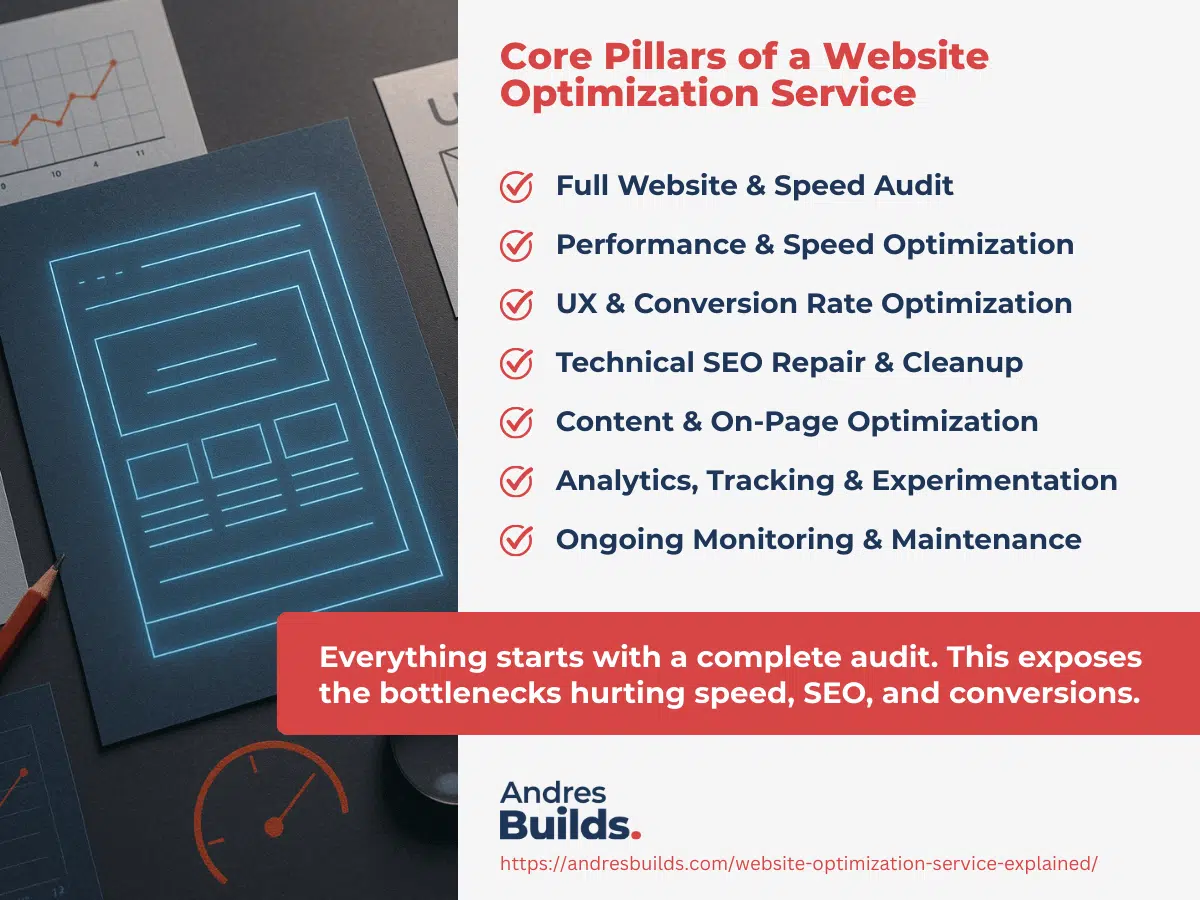
Below are the seven essential components every serious optimization service should provide.
1. Full Website & Speed Audit
Everything starts with a complete audit. This exposes the bottlenecks hurting speed, SEO, and conversions.
A proper audit includes:
- Google PageSpeed Insights testing
- Core Web Vitals review (LCP, INP, CLS)
- GTmetrix waterfall analysis
- WebPageTest real-device testing
- TTFB evaluation to identify hosting issues
- Mobile performance and responsiveness checks
If you want to see how to run your own audit, check this guide: How to Run a Full Website Speed Audit (Step-by-Step)
2. Performance & Speed Optimization
Once bottlenecks are identified, the service focuses on reducing load time and improving stability.
This includes:
- Converting images to WebP
- Compressing heavy hero banners
- Removing video backgrounds or heavy sliders
- Enabling server caching
- Minifying CSS & JavaScript
- Deferring non-critical scripts
- Setting up a CDN for faster global delivery
For more hands-on techniques, explore:
- Website Speed Optimization Guide
- Website Speed Optimization Checklist
- Core Web Vitals Optimization Guide
3. UX & Conversion Rate Optimization
Speed alone doesn’t fix a confusing layout. A strong optimization service also improves user experience.
Typical UX/CRO improvements include:
- Clarifying messaging hierarchy
- Improving button visibility and placement
- Fixing layout shifts (CLS)
- Reducing friction in forms
- Enhancing readability and spacing
- Ensuring mobile-first usability
A deeper dive on CRO: Homepage Optimization Tips to Double Your Leads
4. Technical SEO Repair & Cleanup
Your site’s technical health affects your ability to rank.
SEO cleanup includes:
- Fixing broken links
- Eliminating redirect chains
- Improving internal linking
- Fixing canonical issues
- Optimizing headlines and metadata
- Cleaning crawl errors
- Improving indexability
Supporting guides:
5. Content & On‑Page Optimization
Optimization also applies to content structure.
A good service will:
- Improve headline hierarchy
- Make content scannable with proper formatting
- Strengthen keyword alignment
- Add strategic internal links
- Reorganize page layout based on search intent
Related guide: Improve Your Website Conversion Rate
6. Analytics, Tracking & Experimentation
If you can’t measure it, you can’t optimize it.
A complete service includes:
- Fixing Google Analytics setup
- Adding event tracking for key user actions
- Configuring goals for forms, calls, and bookings
- Creating custom dashboards for performance
- Running A/B tests when traffic allows
7. Ongoing Monitoring & Maintenance
Optimization is not a one-time task.
Ongoing support may include:
- Quarterly Core Web Vitals checks
- Periodic PageSpeed testing
- Uptime alerts
- Broken link monitoring
- SEO performance snapshots
What Deliverables You Should Expect
A real website optimization service should provide:
- A complete written audit
- Before-and-after performance results
- Implemented fixes across speed, UX, SEO
- A prioritized action plan
- A video walkthrough explaining everything
If an agency offers only “your site is faster now,” run.


Website Optimization vs Full Redesign
A lot of business owners think they need a redesign when what they truly need is optimization.
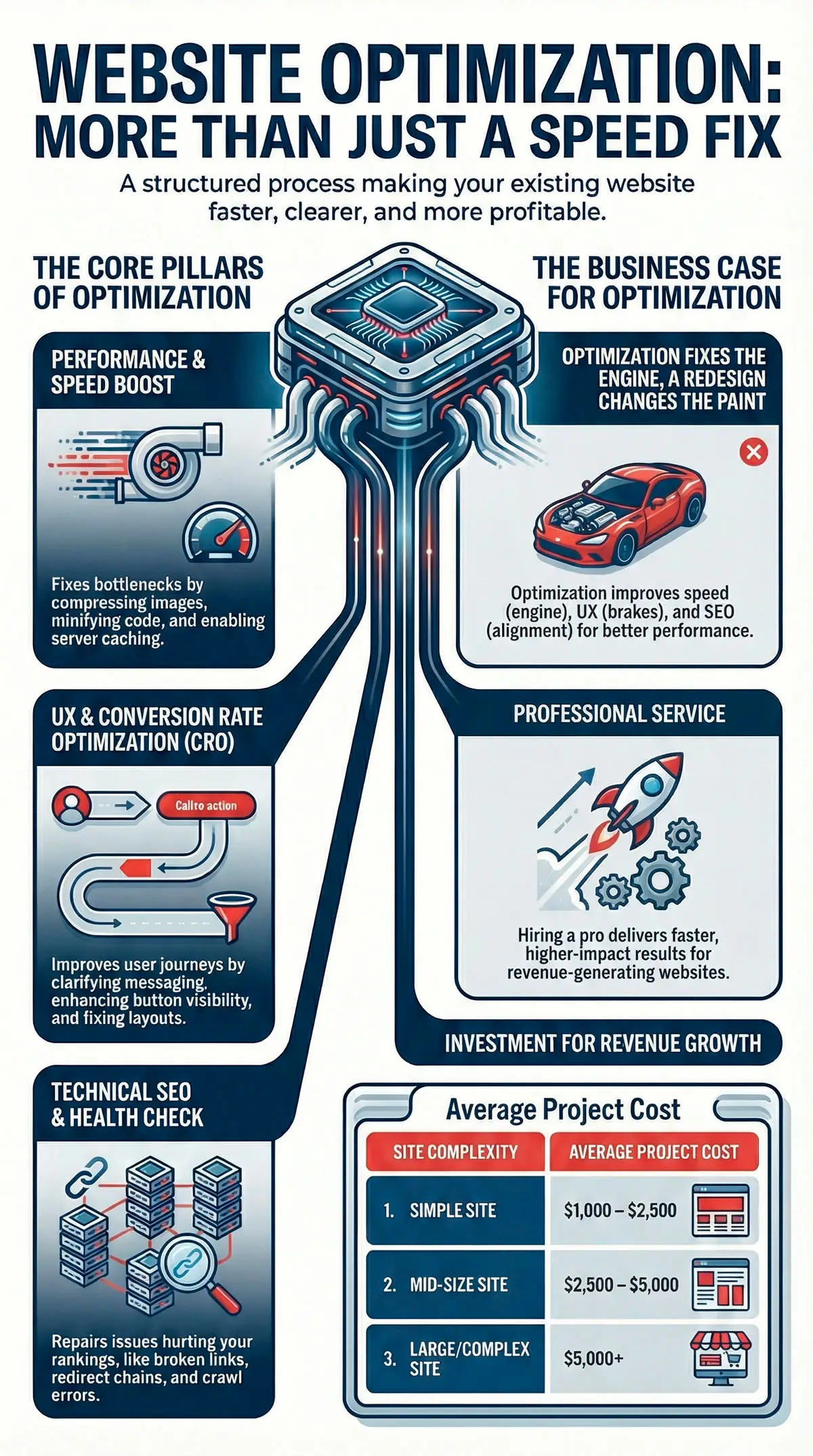
Optimization vs redesign:
Optimization:
- Fixes the engine (speed)
- Fixes the brakes (UX)
- Fixes the alignment (SEO)
Redesign:
- Changes the paint
- Changes the interior
- Updates the look
If you want to know whether you truly need a redesign, read: Small Business Website Redesign: Signs It’s Time
DIY Optimization vs Hiring a Pro
Not sure whether to do it yourself or hire a service?
DIY Optimization
Best for:
- Very small websites
- Low-risk environments
- Owners with time to learn testing tools
Pros:
- Free or low cost
- Helps you understand your site better
Cons:
- Easy to break something
- Hard to prioritize the right fixes
Hiring a Website Optimization Service
Best for:
- Revenue-generating sites
- Businesses with steady traffic
- Owners focused on results, not tinkering
Pros:
- Faster results
- Higher-impact changes
- Professional reporting and clarity
Cons:
- Requires investment
If you want to understand conversion mistakes most websites make, read: Web Design Mistakes That Kill Conversions
How Much Does a Website Optimization Service Cost?
Industry averages show:
- Simple sites: $1,000–$2,500
- Mid-size sites: $2,500–$5,000
- Large or complex sites: $5,000+
Ongoing monitoring usually ranges from $150 to $500/month depending on what’s included.
Optimization should be seen as a revenue investment, not a technical expense. Even a small conversion lift pays for itself over time.
FAQs
What’s included in a website optimization service?
A full audit, speed upgrades, UX improvements, SEO cleanup, and tracking fixes.
How long does it take?
Most sites are optimized within 7–14 days.
Can optimization improve SEO?
Yes. Speed and Core Web Vitals are ranking signals.
Will this improve conversions?
Absolutely. Faster, clearer websites convert better.
Do I still need a redesign afterward?
Sometimes, but optimization ensures your redesign starts from data—not guesses.
Want a Free Website Optimization Audit?
If you think your site is underperforming, I can run a free optimization audit.
You’ll get:
- A full speed and performance report
- Core Web Vitals analysis
- UX and CRO insights
- A prioritized action plan
- A video walkthrough of everything
No pressure. No obligations.
Optimize your site, increase conversions, and get more leads without increasing ad spend.
Request your free website audit today.




One Response